Get Luminair ↑
11of 14 · Features

Everything you know, connected.

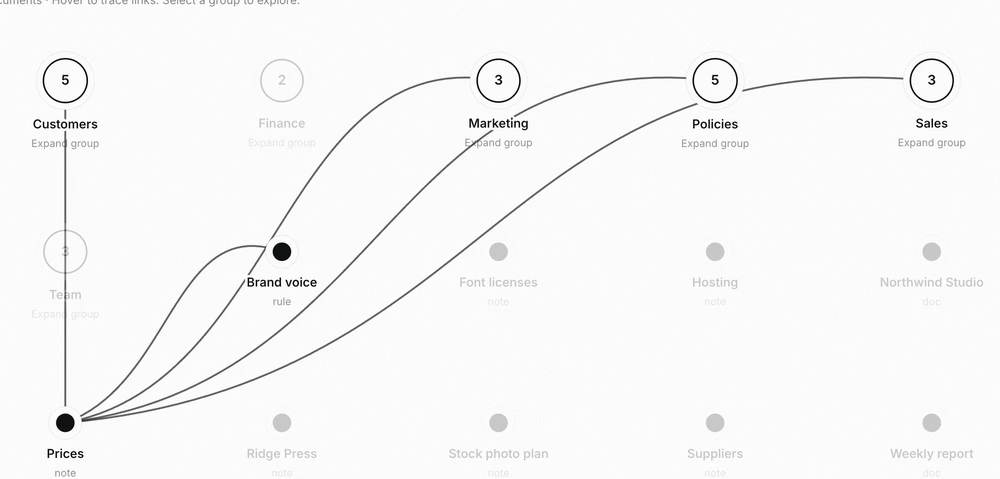
Journal docs link to each other. Your brand guidelines point to your price list, your price list points to your wholesale terms, and the graph draws the whole business as one connected map instead of a pile of files.
What that gets you

11 / Second Brain
01

Link as you write

Write [[Price list]] inside a doc and the two are linked. Links are plain Markdown wikilinks, so they also work in Obsidian or any editor.

02

See what points back

Open a doc and see which other docs link to it, so you know what leans on a price or a policy before you change it.

03

Pull a doc into any chat

Type [[ in the composer and pick a doc. It goes into your message, whichever model you are talking to.

How it works

In the app

Docs that explain each other

A quote template links to the rate card. The rate card links to the terms. Open one and the rest are one click away.

  • Plain Markdown files on your disk
  • Readable in Obsidian or any editor
  • One folder per client or project
brand guidelines · links
01Price list 2026linked
02Wholesale termslinked
03Refund policylinked
04Quote templatelinks here

A map, not a filing cabinet

The graph shows how your notes hang together: which docs everything else leans on, and which sit alone with no links at all.

  • Every doc is a dot, every link a line
  • See which docs the rest lean on
  • Spot notes that link to nothing
journal · hubs
01Customershub
02Marketinghub
03Policieshub
04Old supplier noteno links
Get Luminair

Try it on your own machine.

Free to download. Bring your own key.