The short version
- An AI session forgets everything when it ends. Luminair gives it a memory made of ordinary Markdown files in a folder you can open in Finder or Obsidian.
- Each note says what it is (
kind) and who it is for (scope: one session, one project folder, or everywhere). - Before every message, a digest picks what rides along: rules in full, dead ends always, and a ranked, capped handful of everything else.
- One 73 KB reference doc in the always-on Harness folder pushed prompts from about 30 KB to about 100 KB. Docs and notes over 24 KB are now skipped there.
The memory we use every day.
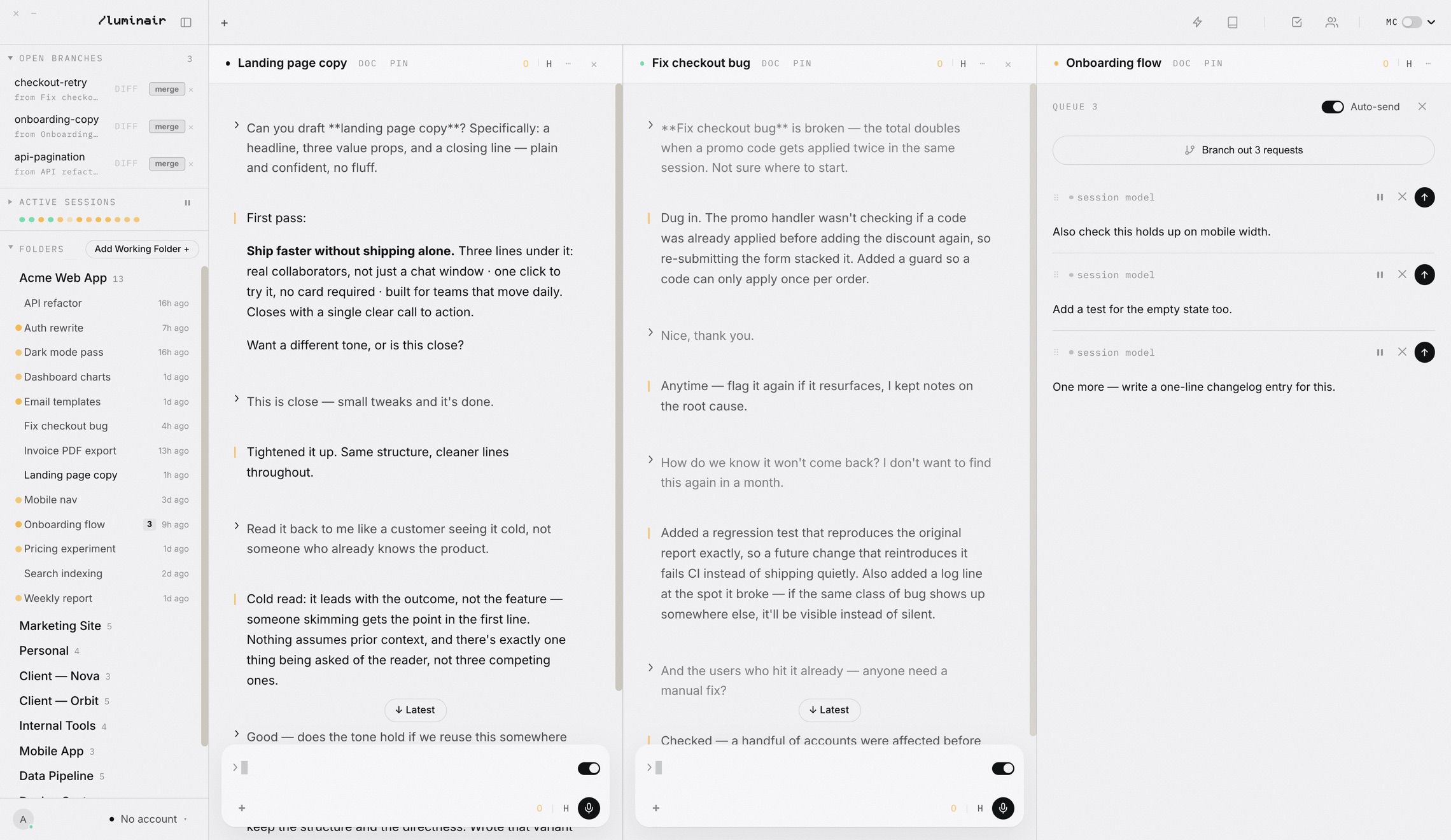
The Journal is not a feature we designed on a whiteboard. It is the memory the Luminair team has leaned on while building Luminair: sessions on different models writing down what they decided, what failed, and what the owner asked for, so the next session does not start from zero.
That is why the source reads like a logbook. The digest module opens by saying its selection rules are "a port, not a redesign", and that "every one of them was paid for in a real failure". This post walks through those failures, because they are the most useful thing we know about agent memory.
 1
1
Every token has to earn its place.
Think of a model's context window as a desk. Anything you put on the desk, the model has to look at before it answers. A bigger desk helps, but a desk buried in paper is worse than a small tidy one.
In September 2025 Anthropic put a name to managing that desk. Its engineering post on effective context engineering describes it as "the set of strategies for curating and maintaining the optimal set of tokens (information) during LLM inference", and warns that models have an "attention budget" that long contexts draw down. The goal it sets is to find "the smallest possible set of high-signal tokens that maximize the likelihood of some desired outcome."
The same post describes structured note-taking: "the agent regularly writes notes persisted to memory outside of the context window", and those notes "get pulled back into the context window at later times". It also mentions Anthropic's file-based memory tool. Files, not a database. That is the design the Journal landed on too, for three plain reasons:
.md file. Open it, fix it, delete it. Nothing hides in an index you cannot inspect.Three fields do most of the work.
By default the vault lives at ~/Documents/Luminair Journal. A note is Markdown with a small block of YAML frontmatter on top. The parser writes Luminair's own keys in a fixed order (id, kind, scope, then optional ones such as cwd and session) and keeps any keys it does not know, so nothing a person or Obsidian adds is silently dropped.
---
id: 20260825T1309-a1c7
kind: rule
scope: global
title: "App Rules (all users, all models)"
created: "2026-08-25T20:09:00.000Z"
updated: "2026-09-03T10:31:04.121Z"
summary: "These rules are baked into the Luminair app itself …"
---

## 1. App Rules (all users, all models)
…
lib/vault/paths.js generates.kind says what the note is. A rule is standing law. A note is knowledge. A doc is reference material, a notebook page. The app also writes a few kinds of its own: an ask captured from a prompt, and a dead end (stored as ruledout) for an approach that has been proven not to work.
scope says who should see it: session (the default when a model files a note), folder (one project, matched by its path), or global (every session in every project). When two layers say the same thing, global wins over folder, and folder wins over session. The loser is hidden, never deleted.
Notes/ folder is a private scratchpad. Nothing under it is ever shown to a session, not as a rule, not as a search result. Any folder can be marked silent the same way with silent: true on its folder note.A digest, rebuilt for every message.
A library does not hand you every book when you ask a question. It hands you the house rules, a warning about the shelves that are closed, and a few books that match what you asked. The digest works the same way. It is built by lib/vault/digest.js, and the prompt hook calls it through scripts/journal.js digest with the session id, the project folder and the prompt.
Rules ride in full
Anything of kind rule, at any scope that applies, is printed completely and is never cut by the cap. Rules tagged with a trigger group (deploy, git, design and so on) print in full when the prompt touches that area and as a short index line otherwise.
Dead ends always ride
Re-proposing something already proven dead is the failure the Journal exists to prevent, so every open dead end is included, every turn.
Everything else is ranked, then capped
Open asks and notes compete for a default of 14 places. Docs, pasted text and generated index notes never compete: they stay searchable instead.
Long notes become a pointer
A note over 260 characters contributes its first sentence plus the command that fetches the rest, journal.js read <id>. The source puts the trade plainly: the pointer costs about 20 characters and loses nothing.
So where are the vectors?
There is no vector database. Word match (BM25) is the workhorse, because it is exact, explainable and the only signal that reliably finds file names and error strings. If Ollama is running on the Mac, notes also get an embedding from nomic-embed-text, computed in the background when a note is written and cached in a single vectors.json file in the vault's hidden .luminair folder.
On the read path the only live call is embedding the prompt itself, with a 400 ms timeout. Past that, or with Ollama off, the digest falls back to word match and says nothing. The two rankings are combined with Reciprocal Rank Fusion, which reads only the order each one produced, because their raw scores are on incomparable scales.
From the header of lib/vault/embed.js.
Two lessons already in the code
On 16 August 2026, one 8,000-character research note filed as global rode in full on every single message, because the rule at the time treated every global item as standing law. Now only an actual rule gets uncapped treatment; a global note is ranked like anything else.
Later, the cap was shared between rules and everything else. Once the team had 49 rules against a cap of 14, the arithmetic went negative and every open ask and dead end vanished from the digest, "hidden behind a block that still looked full", in the words of the comment. The cap now belongs to asks and notes alone.
One file, every prompt, three times the size.
Separate from the digest there is a second road into the prompt. Since 30 August 2026 a Journal folder called Harness/ holds the app's standing brain: rules that ride on every session, every model, every lane. The owner edits it like any other folder; shipped builds carry a bundled copy.
The function that injects it, harnessBlock() in desktop/main.js, joined every .md file in that folder. That was fine while the folder held rules. On 10 September 2026 a 73 KB reference document, the knowledge base for Solace (Luminair's support assistant), landed there with kind: doc. From then on, about 70 KB of every prompt in every session was that document.
desktop/lib/vault/harness-filter.js, not a benchmark. The hatched segment is the single 73 KB document.The note records the knock-on effects too. Session transcripts grew about three times faster, and the larger resumed transcripts that followed are what pushed some Claude CLI turns past the app's start watchdog. It was fixed on 14 September and shipped in the build committed on 16 September (91ebf349). The fix is small enough to quote whole:
// Returns { ok, reason, body } for one Harness note's raw file text.
function harnessEligible(raw, opts = {}) {
  const max = opts.maxBytes || MAX_NOTE_BYTES;
  const fm = frontmatter(raw);
  const body = String(raw || '').replace(/^---\n[\s\S]*?\n---\n/, '').trim();
  if (!body) return { ok: false, reason: 'empty', body: '' };
  if (String(fm.kind || '').toLowerCase() === 'doc') return { ok: false, reason: 'doc', body };
  if (Buffer.byteLength(body, 'utf8') > max) return { ok: false, reason: 'oversized', body };
  return { ok: true, reason: '', body };
}
MAX_NOTE_BYTES is 24 * 1024. There is a second guard at write time as well: the store refuses to create a kind: doc inside Harness/ and files it under Notes/ instead.
See what your model sees.
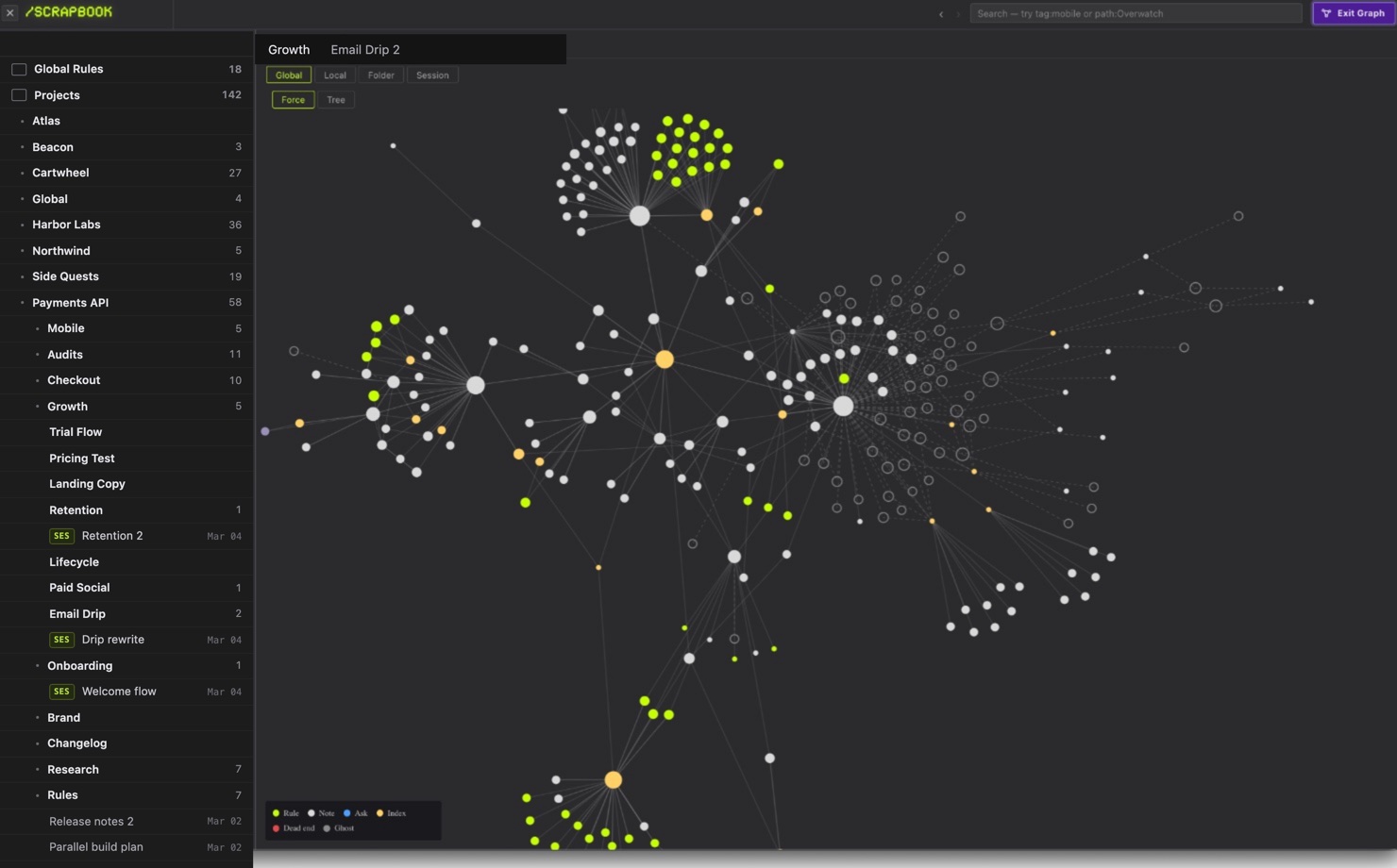
- 1Click the book icon in the top bar, or press ⌘⇧B, to open the Journal on this session's note. From there you can browse folders and open the graph.
- 2In any session, type //context in the composer and send. The Context budget sheet lists every block Luminair injects and what it costs.
- 3Find the row Journal digest: rules and open items the hook injects. It is rebuilt per message.
- 4Untick Include optional Journal notes and old conversation summaries to send only standing rules and pins on the next turn.
Context budget
Tokens are estimated at four characters each.
Capture is easy. Keeping is hard.
In May 2026 Anthropic added memory to Claude Managed Agents. In its words, memory "lets each agent capture what it learns as it works", and a process called dreaming "refines that memory between sessions". Dreaming can update memory automatically or leave changes for a human to review.
In August, The New Stack reported on a talk by Lamis Mukta of Anthropic. The article notes that a single instructions file gets hard to manage as it grows, and that memories go stale. Mukta's picture of good retrieval is a bookshelf you scan by title before pulling one book down. The same article carries a warning from engineer Jayakumar Ramalingam:
“A bad answer normally dies with the session; a bad memory can influence thousands of future sessions.”Jayakumar Ramalingam, quoted in The New Stack, 12 August 2026
The Journal met both problems on its own scale, and its answers are deliberately conservative:
- Distill.
journal.js distillfolds a quiet session's raw asks into what was decided, what is still open and what was a dead end. The raw items are archived, not deleted: they stop riding in the prompt and stay searchable. - Promote, but only with a yes.
journal.js promotefinds a request that came back in three or more separate sessions and proposes it as a one-line rule. It never writes the rule itself. As the module says, an unapproved standing rule "would be injected into every prompt of every session forever". - Keep the history. A merged note keeps earlier phrasings under "Said again" for people to read, but the digest cuts them out. Overridden notes are hidden, not erased.
Not measured yet
- How much the digest improves answer quality, on any model
- How often meaning-match changes which notes are picked versus word match alone
- Typical digest size across different users' vaults
Sources
- Anthropic, Effective context engineering for AI agents, 29 September 2025
- Claude, New in Claude Managed Agents, 19 May 2026
- The New Stack, Anthropic gave agents the ability to dream. Then developers woke up., 12 August 2026
- Luminair, the Journal feature page
Give your sessions a memory
Open the Journal with ⌘⇧B and watch what rides on your next prompt.